
How MyLock Lite keeps smart lockers working when the internet goes down
MyLock Lite's intelligence lives at the locker site, not in the cloud. Signed access codes verified locally, one QR scan opens the door, a single portal manages every location. Here is how the architecture works and where it fits.
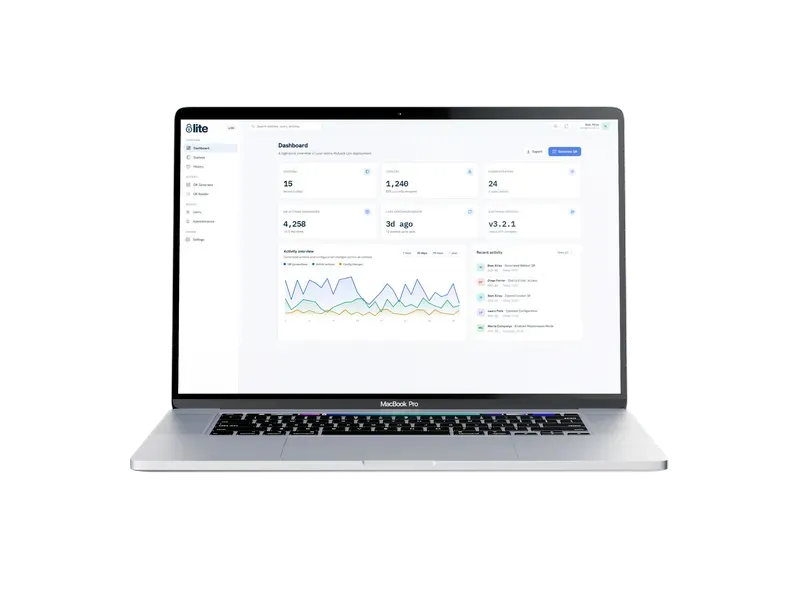
Most smart-locker systems have the same failure mode. The Wi-Fi drops for ten minutes, the mobile fallback is not configured, a router upstairs reboots — and suddenly the customer standing in front of a locker cannot open a door. The hardware is fine. The lock is fine. What broke is the round-trip to a server three time zones away that had to sign off on the "open" command.
We have watched that failure mode in enough gyms and coworkings to build a whole product tier around not repeating it. MyLock Lite is the offline-first branch of the MyLock platform: cloud portal for your team, self-contained intelligence at each site, no live server call in the critical path.
What "offline-first" actually means in the design
The important architectural question about any smart-locker system is: where does the authoritative "yes, open this door" decision get made? In a purely cloud-based system it is made on a server — the terminal at the locker takes the scanned code, sends it to the cloud, waits for a signed response, and then triggers the lock. Every open is a synchronous request. When the network flakes, the open flakes.
Lite reverses the flow. Each site runs a small on-site unit — one piece of hardware, mains-powered, no batteries to swap, boots straight into kiosk mode. It holds the current set of access rules, valid codes, and the audit trail. When a customer scans a code, the on-site unit verifies it locally and opens the door immediately. The cloud portal is where your team creates and revokes codes, sees the audit log, and switches modes — but the door does not need the portal to open.
Connectivity, in this model, is a convenience feature for the operator, not a dependency for the customer.
Security when there is no live server call
The natural pushback to offline verification is: "if the door is not checking with a server, how do I know a code is valid and not spoofed?" This is the part of the design that took the longest to get right, so it is worth explaining.
Every admin action — generating a customer access code, opening a locker remotely, revoking permissions, switching a bank from public to private — is emitted from the portal as a cryptographically signed payload. The signature is produced with keys the portal alone holds. The on-site unit holds only the public half needed to verify signatures. When a code lands at the terminal, the unit checks the signature locally against the public key, checks the payload's built-in expiration, and only opens the door if both check out.
Two properties come out of that design. First, a code cannot be forged by someone who does not have the portal's signing key — even if they can read the code off the customer's phone screen. Second, the private key never travels through the browser, the network, or the on-site unit. It stays server-side, where it belongs.
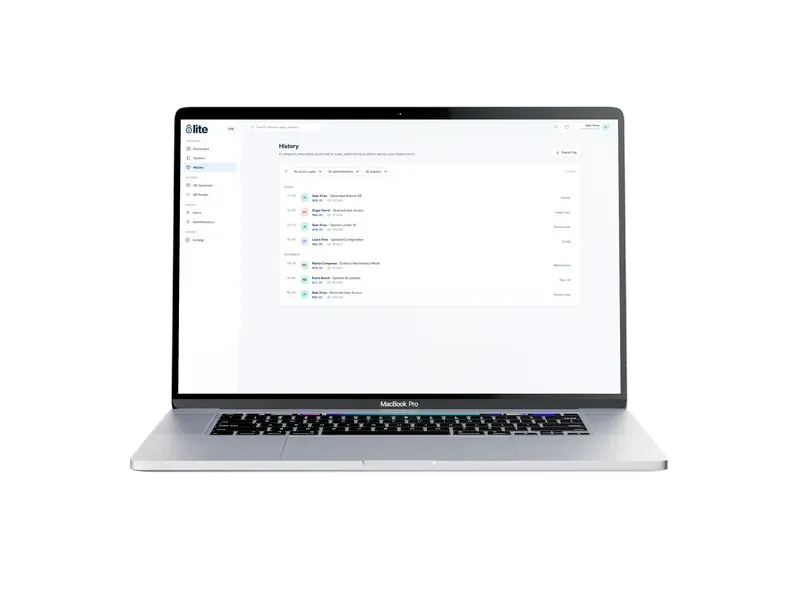
The audit trail works the same way in reverse: every open, every admin action, every mode change gets written to the local trail with a timestamp and a signature, so entries are tamper-evident. Once connectivity is available, the trail syncs up to the portal for querying — but even offline, the record is intact and legally defensible.
What the customer sees: one scan, no app
For the end user, the whole architecture disappears. The customer arrives at the locker bank, scans a QR code (from the portal-generated confirmation email, a printed voucher, a receipt, or a member profile), and the assigned door opens. No app to install. No account to create. No waiting for a spinner.
If your business needs public-access mode — a passer-by walking up, picking any free locker, entering a PIN — the same unit runs that flow too. And if you need to switch a bank from public to private (say, private for members during the day, public for retail pickup in the evening), that is a toggle in the portal that takes effect on the next sync.
What the operator sees: one portal, every location
The cloud portal is the layer we spent the most time simplifying. If you operate more than one location, this is where the workday happens.
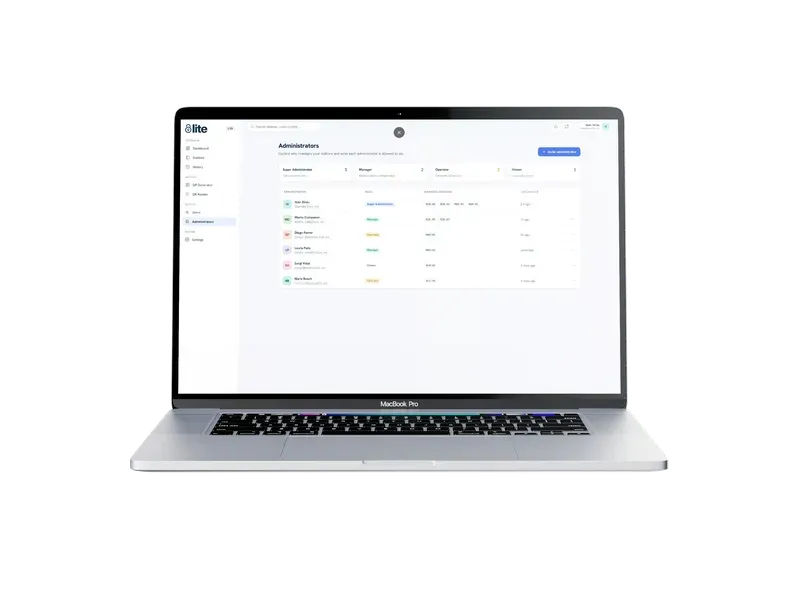
Every site your business runs shows up in the same portal. You can generate access codes for a specific site (or a specific locker at a specific site), see the current occupancy, review the full history of who opened what and when, revoke a code with one click, and push configuration changes to all your sites at once. The audit log is queryable — filter by user, by locker, by time window — which is the log posture we wish more platforms had by default and that the Bucharest case study laid out in detail for a Cloud deployment.
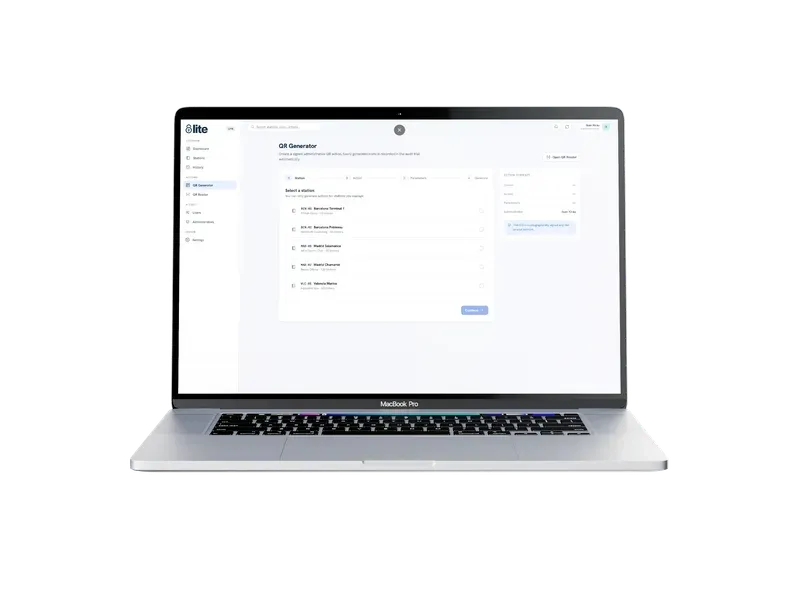
Configuration is deliberately thin. There are no per-site engineering tickets to file when you want to change how expiration works or which locker bank is public. The portal covers it.
Where Lite fits
The offline-first model is a natural fit any time the operational cost of a five-minute connectivity blip is disproportionate to the value of live server-side checks. That covers most of the market for smaller, single-site or few-site deployments:
- Gyms — members expect to open their locker instantly, mid-workout, with zero patience for a "connecting..." spinner.
- Coworkings — you want members to store bags without you being the network's SLA guarantor.
- Spas and wellness centres — the customer is in a robe. They are not going to relaunch an app.
- Universities — student traffic peaks at class-change, exactly when the campus network is under load. Locker access cannot pile onto that queue.
- Clinics and healthcare sites — patient throughput cannot wait for a router.
- Retail with click-and-collect pickup — shoppers arrive to grab an order. If the pickup takes longer than the checkout that produced it, you lose the customer.
If any of the above sounds like your operation, Lite is probably the right tier. If you need the full remote-management, integrations, and live analytics posture of MyLock Cloud, we have written a decision guide that walks through the trade-offs — but for most single-site and small-multi-site deployments, Lite is the honest answer.
What installing Lite actually looks like
The install kit is deliberately small. One on-site unit per site, mounted at the locker station, powered from mains. Cabling to the locker banks (mechanical, one-time). A few hours of on-site setup to enrol the unit with the portal, load the initial rule set, and hand it over to operations. That is the whole rollout.
There is no subscription tied to per-user pricing, no per-open fee, no monthly recurring cost per locker door. You pay for the hardware and for the platform access. From that point on, the operational model is: manage from anywhere, run at each site autonomously, never worry about whether the internet is up when a customer shows up.
Try it
If you operate lockers today and the "when the Wi-Fi dies, so do our lockers" problem is familiar to you, get in touch — we will walk you through the sizing, the on-site unit, and what a realistic timeline for your specific setup looks like.